Appearance
Global Search & Replace
Search and replace text across any local or remote database.
Search
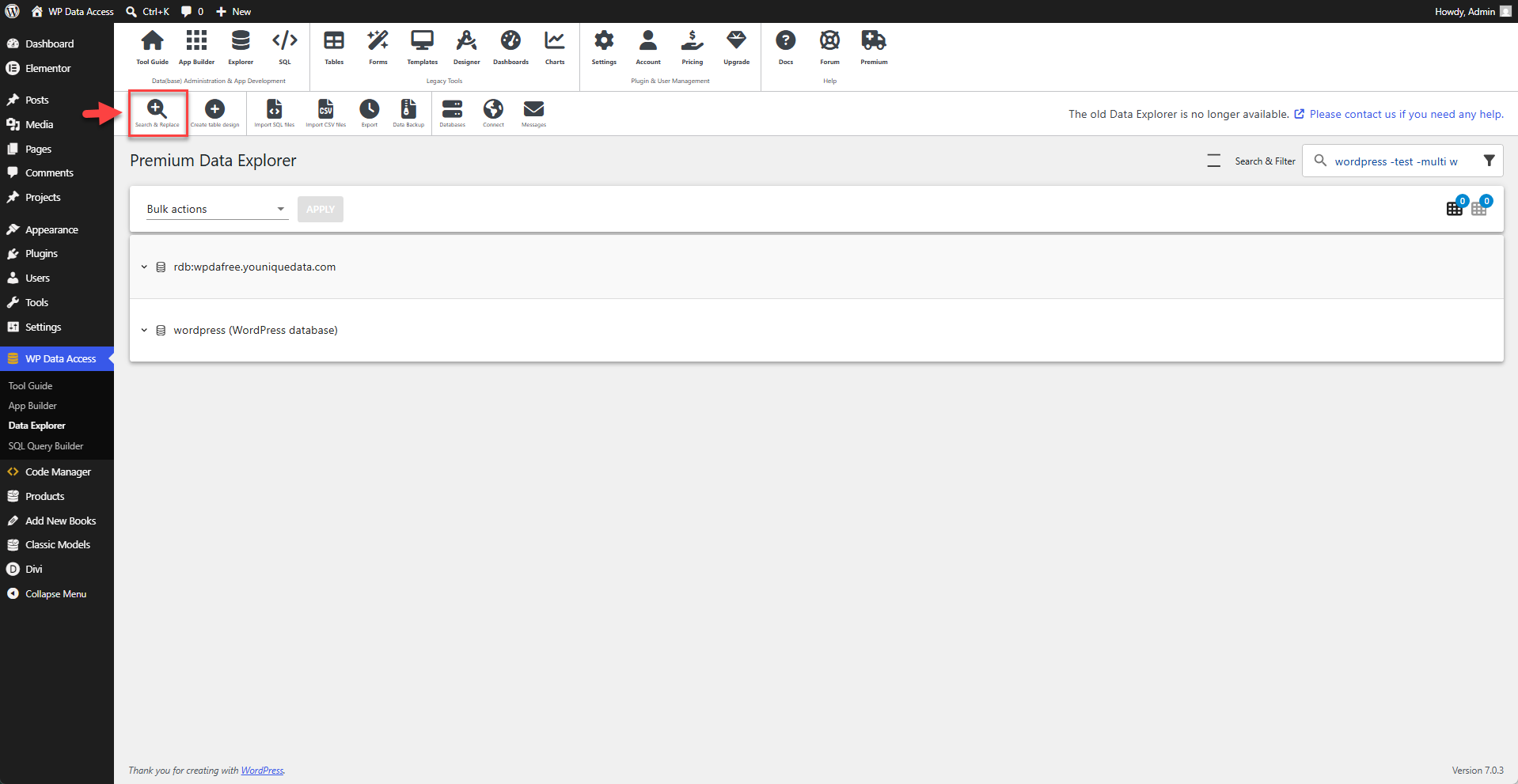
The Search & Replace feature is accessible from the toolbar.
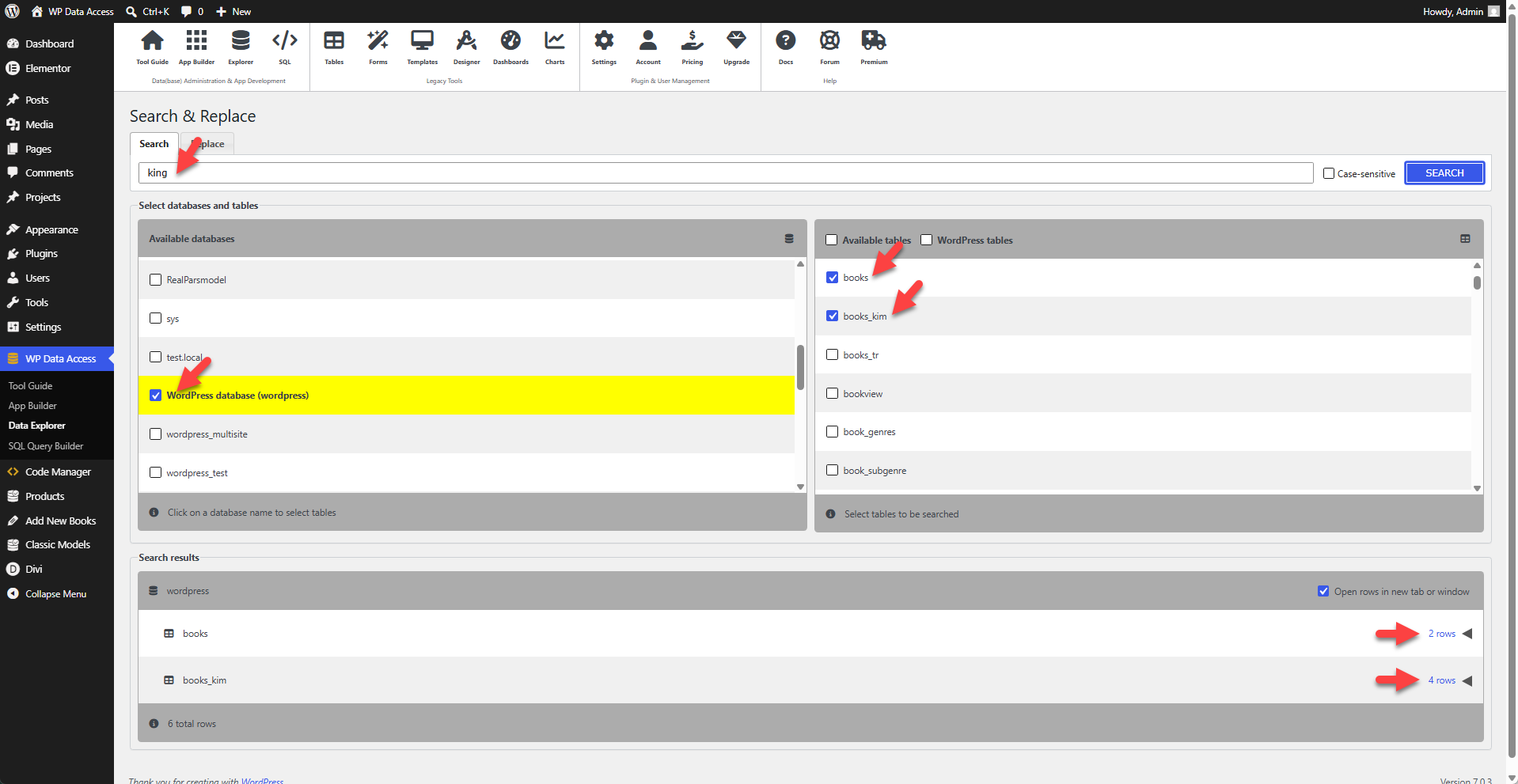
To start a search:
- Enter a search string.
- Select one or more databases.
- Select one or more tables and/or views.
The search results table displays the number of rows that contain the search string in each selected table or view.
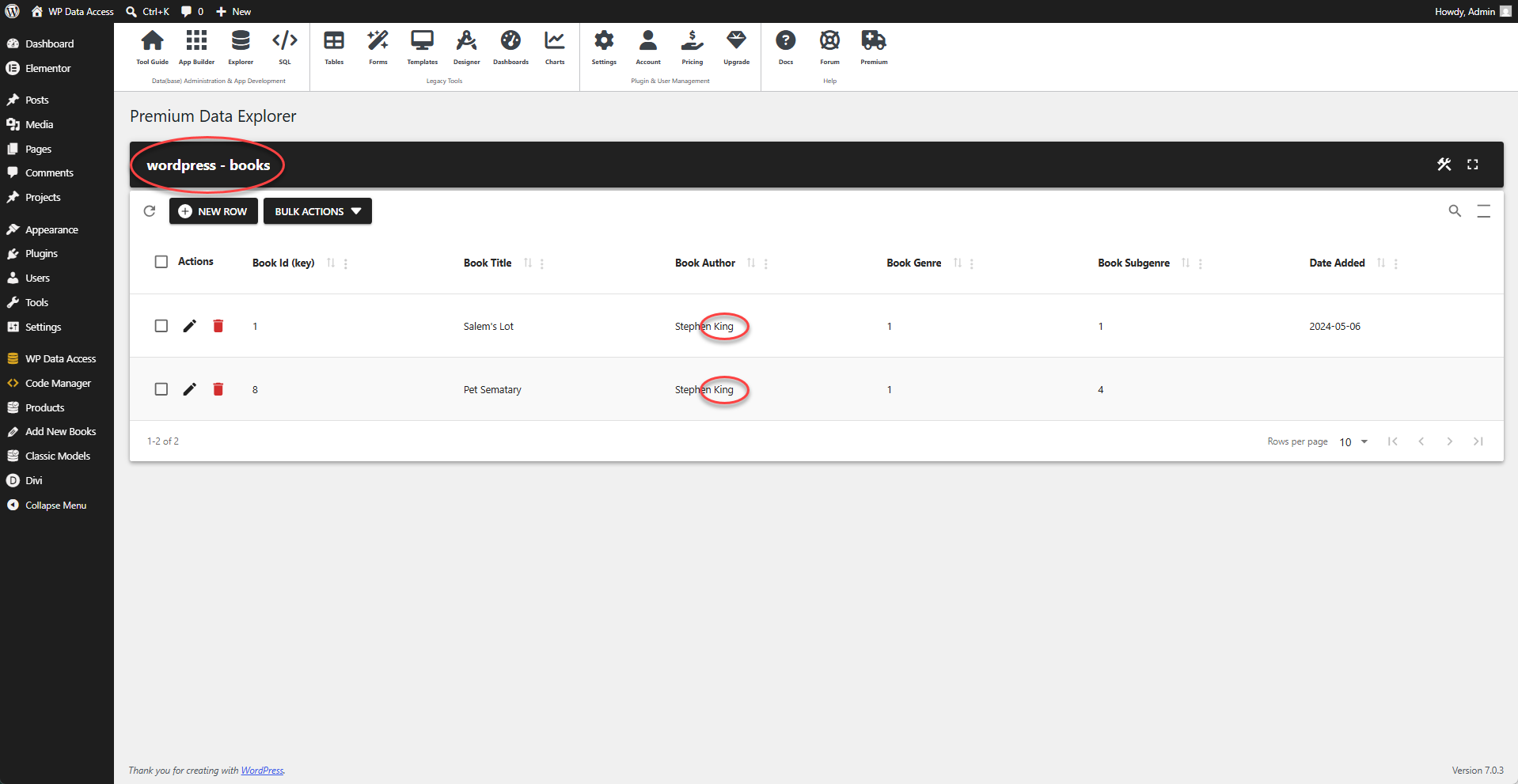
Clicking a link in the search results table opens a form for the selected database and table or view, displaying the matching rows. The form allows you to edit rows directly.
Search & Replace
Search and replace works similarly to the search function, with the addition of extra buttons to replace the search string with a replacement string.
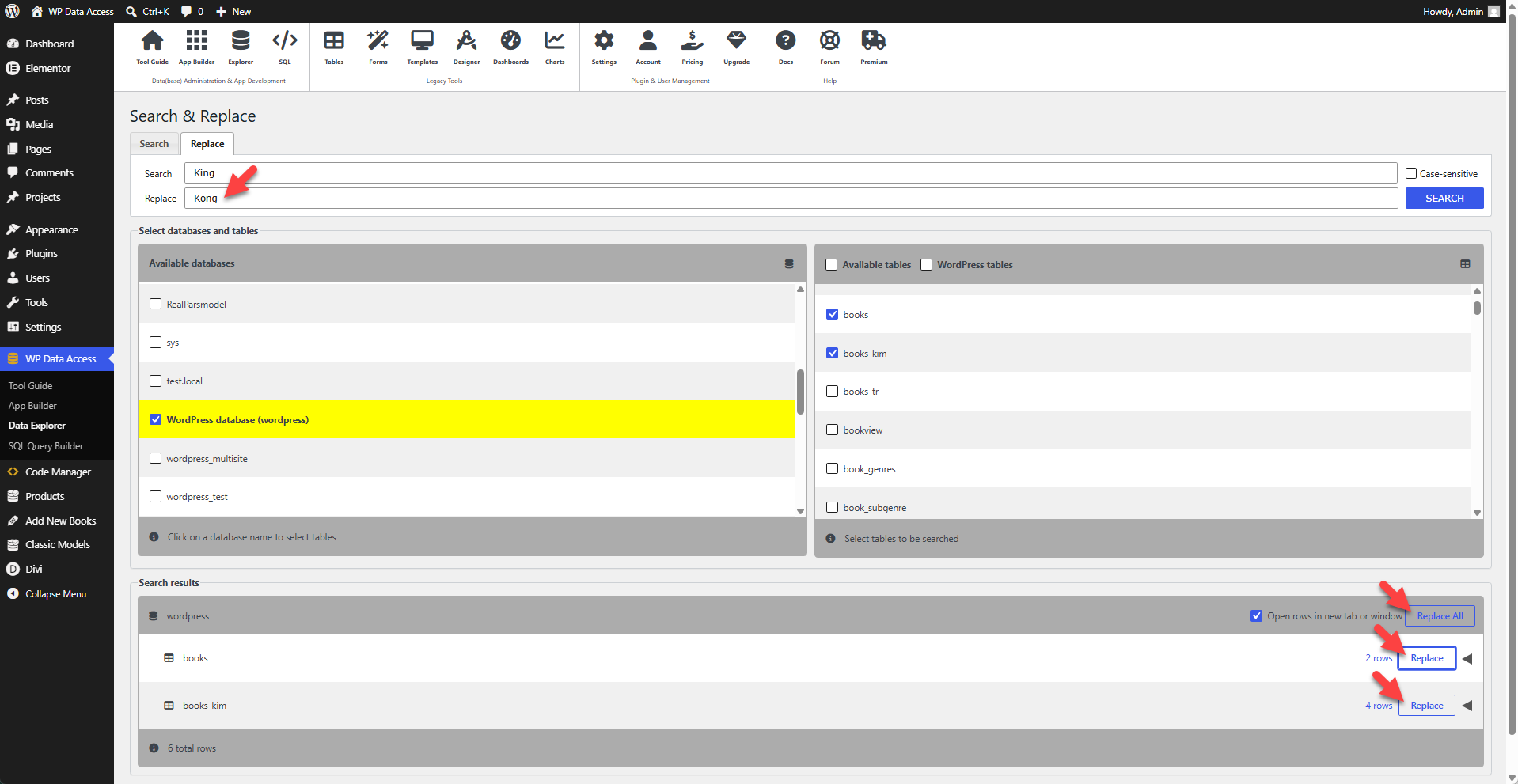
Clicking one of the replace buttons opens a modal confirmation dialog.
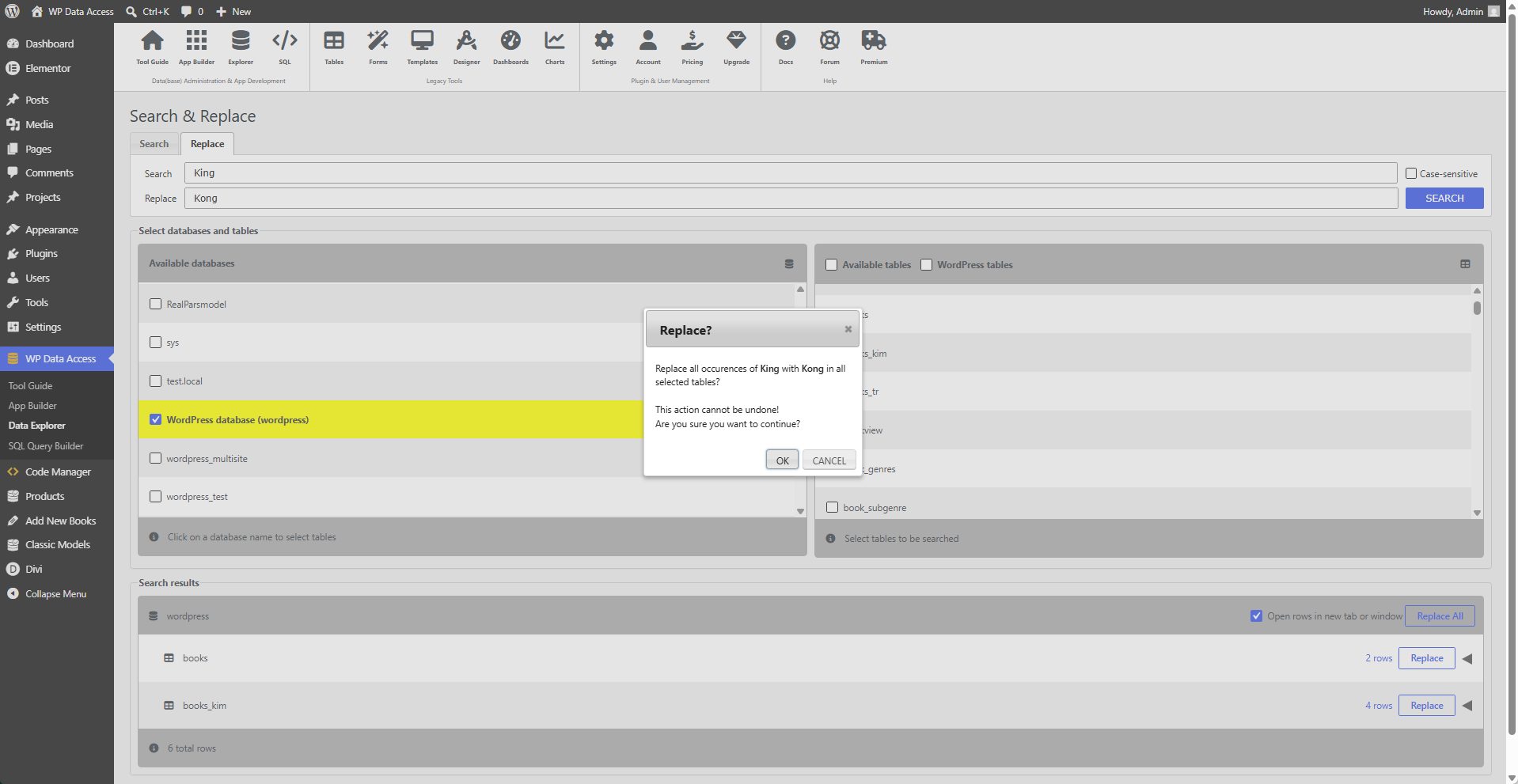
📌 Pressing the OK button immediately executes the search and replace operation. This action cannot be undone!