
Appearance
Copy/Export Large Tables
Problem
When a table is copied or exported, the plugin needs to read and write all table rows. For large tables, this may result in a fatal error:
Fatal error: Allowed memory size of 268435456 bytes exhausted (tried to allocate 4096 bytes)
Solution
One way to resolve this issue is to increase WP_MAX_MEMORY_LIMIT. However, no matter how high you set this value, tables can always grow larger.
To address this issue and allow the plugin to read and write rows in batches, the Query Buffer Size was introduced in version 5.2. This setting can be defined per table from Data Explorer > Settings > Table Settings. (read more...)
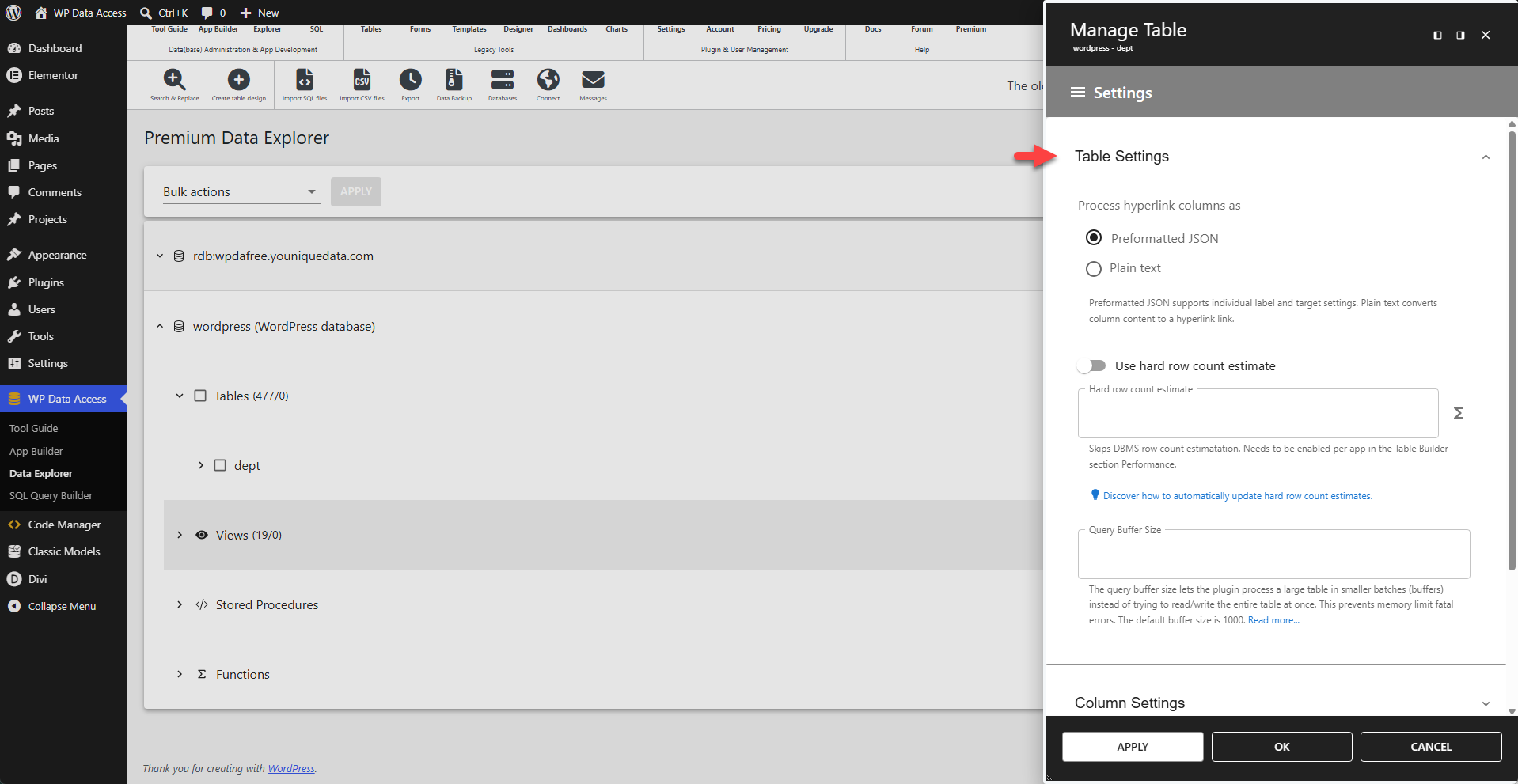
This value is empty by default, which results in a full table read and write operation. Enter a sufficient value if you experience issues when copying or exporting large tables.
- Higher value → fewer batches, but more memory usage → higher risk of fatal errors.
- Lower value → less memory per batch, safer, but slower execution.
There is no one-size-fits-all value—it depends on the amount of storage used per table row.