Appearance
Copy Table To Other Database
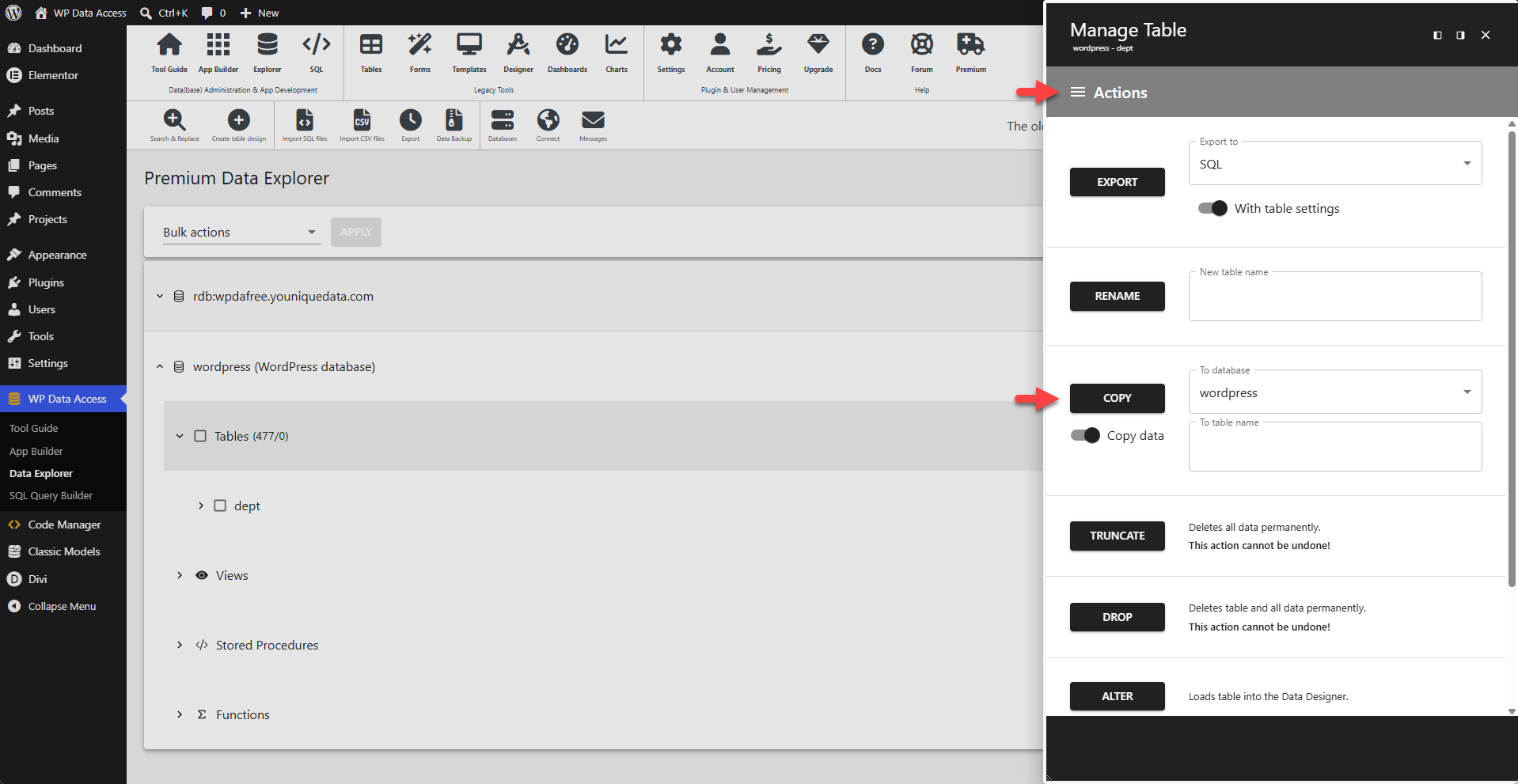
To copy a table to another database:
- Navigate to the Data Explorer.
- Expand the source database.
- Search for the source table.
- Click the Manage link or icon.
- Enter the destination database (To Database).
- Enter the destination table name (To Table).
- Enable Copy data to also copy the table rows.
- Click the COPY button.